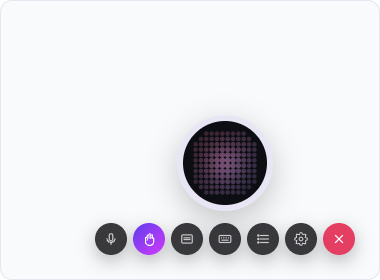
Hand mode is the permission that lets the agent operate your UI, not just talk about it. It is entirely under the user's control, armed from the hand button tucked in the button's control row (hover, tap, or Tab to bring it up), and the agent can never arm it itself. It only ever mirrors what the user has set. That one-way rule is the safety story in one sentence: there is no code path, prompt, or action that lets the agent grant itself reach into the page.
What's gated
Every useElement action is gated behind Hand mode. Operating a mounted element is a UI touch by definition; there is no flag to set. A plain useAction is ungated by default (it can run any time), unless you list its name in useSurface's handActions. That's how you mark a backend-shaped action as one that actually reaches into the page:
useSurface({
  label: "Tasks board",
  handActions: ["deleteAllDone"], // this action now needs Hand mode too
});
One thing to know about handActions: it applies while that surface is active and nowhere else. To gate something the agent can do from any page, such as navigation, declare it as a useElement action in a component that is always mounted. The recipe is on Patterns.
The dual-sided gate
The gate is enforced on both sides. The SDK is authoritative: a gated call made while Hand mode is disarmed never leaves the browser. The agent runtime pre-checks the same rule before it even tries. So a UI-touch call runs only when both are true: the user has Hand mode armed, and the call is one the agent is allowed to make. Neither a client bug nor a confused agent can route around it.
What happens when it's off
A gated call made while Hand mode is disarmed never reaches your handler. The agent gets back a structured needs_hand_mode error it can relay, something like "I need Hand mode on for that", instead of the handler running when it shouldn't, or failing silently.
Hand mode vs. control
control is a separate, orthogonal axis: it decides how an already-allowed call confirms. Hand mode decides whether a UI-touch call is allowed to run at all. A hard-controlled element action has to clear both gates, armed and confirmed, before it runs.