Coworkkit is a closed loop: your browser never sees a secret key. Your backend holds it and mints a short-lived session token; the SDK calls your route, gets the token, and self-configures the rest (the voice connection, the control channel) from that response. So there are two seams to wire, a server route that holds the key and a Provider that calls it, spread across three small files: the route, the Provider, and a one-line wrap in your app's layout. Ten minutes, start to first conversation.
Two ways in
The fast path: open your Coworker's Quickstart tab, pick your framework, and paste the setup prompt into your AI coding agent (Claude Code, Cursor, Copilot). It writes the three files below into your repo and hands back a co-worker you can talk to. If your agent speaks MCP, also connect it to Coworkkit so it can read these docs and diagnose your sessions on its own.
By hand: the five steps on this page. They're the same three files, and reading them once is worth it even if the agent types them for you. You'll know exactly what's in your repo.
By hand for your framework: the numbered steps below are the Next.js App Router shape. For the exact by-hand steps for another stack — the same ones the portal Quickstart and your coding agent use, so there is never a second hand-maintained copy — open your framework's quickstart:
1 · Install
The browser half and the backend half, as two packages. They sit on opposite sides of a security boundary, so they install separately (why two?):
npm install @coworkkit/react @coworkkit/server@coworkkit/react needs React 18 or 19. Not on Next.js? The same two packages work on any React front end with any JavaScript backend. See Backends after this page for the Express, Remix, and non-JavaScript shapes.
2 · Add your key
Create or edit .env.local in your project root with a key from your Coworker's API keys tab:
COWORKKIT_API_KEY=ck_...your_api_key...Sign in to get this pre-filled with your key — your Coworker’s Quickstart tab drops your real key straight into every snippet (it’s shown only once, so that’s the only moment we can). Restart your dev server after creating it; Next reads env vars at server start. Keep it server-only: never under a browser-readable prefix like NEXT_PUBLIC_.
3 · The server token route
Create app/api/session/route.ts. The helper reads COWORKKIT_API_KEY, calls Coworkkit, and returns { token, serverUrl, cloudUrl }. Nothing else to configure:
import { coworkkitSessionRoute } from "@coworkkit/server/next";

export const POST = coworkkitSessionRoute({
  // `getUserId` is the user the agent acts as. "dev-user" is fine while developing;
  // before you ship, derive it from your auth, server-side, never from the client:
  //   getUserId: async () => (await auth()).userId   // Auth.js / Clerk / Supabase
  getUserId: () => "dev-user",
});
Going to production: that getUserId stub is dev-only. Replace it before you ship. getUserId runs on your server, receives the Request, and can be async, so derive the id from your authenticated session: async () => (await auth()).userId (Auth.js, Clerk, Supabase). Deriving it server-side, never reading it from the client, is what stops one user acting as another. It's the reason the mint lives in this route.
Two optional settings, for the rare case you need them: apiKey (defaults to the COWORKKIT_API_KEY environment variable) and cloudUrl (defaults to COWORKKIT_CLOUD_URL, then the production URL). Most apps set neither.
Not on Next.js? coworkkitSessionRoute is the Next drop-in, but mintSession mints the same session from any JavaScript backend. Backends lists the stacks and shows the Express shape.
4 · Mount the Provider
getToken is a function prop, so the Provider needs a client component. You never pass your key as a prop. The Provider takes no key prop at all; your secret key lives only in your server route:
"use client";

import { CoworkkitProvider } from "@coworkkit/react";
import { CoworkkitWatch } from "@coworkkit/react/watch";

export function Providers({ children }: { children: React.ReactNode }) {
  return (
    <CoworkkitProvider
      getToken={async (ctx) => {
        const res = await fetch("/api/session", {
          method: "POST",
          headers: { "content-type": "application/json" },
          body: JSON.stringify(ctx ?? {}),
        });
        if (!res.ok) {
          // Check before parsing, and guard the parse: an error page (a proxy 404,
          // a framework 500) is often HTML, and a throw here would lose both fields.
          const body = await res.json().catch(() => ({}));
          // Pass the reason AND the status through. That is what lets the button say
          // "Setup needed" for a bad key instead of a generic "Can't connect":
          throw Object.assign(new Error(body.error ?? "session mint failed"), {
            reason: body.reason,
            status: res.status,
          });
        }
        return res.json();
      }}
    >
      {children}
      {/* Dev-only observability panel — self-hides in production. */}
      <CoworkkitWatch />
    </CoworkkitProvider>
  );
}
Then wire it in once. app/layout.tsx is the only file you write by hand: import Providers and wrap {children}, leaving the rest of your layout exactly as it is.
import { Providers } from "./providers";

export default function RootLayout({ children }: { children: React.ReactNode }) {
  return (
    <html lang="en">
      <body>
        <Providers>{children}</Providers>
      </body>
    </html>
  );
}
Have a signed-in area? Wrap that group's layout (say app/(app)/layout.tsx) instead of the root one. Then the button only shows for signed-in users, and it never tries to start a session on your login page, where there is no user to act as yet.
5 · Smoke-test
Run your dev server. A small floating circle, the Coworkkit button, appears in the bottom-right corner of every page. Click it, allow microphone access, and say hello. The agent replies by voice. That's the integration; everything past this point (actions, surfaces, elements, Hand mode) is your own app's brain, covered next.
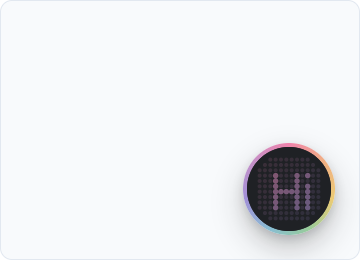
If the button's ring says Setup needed instead of connecting, the route or the key is the problem; the exact reason is in your browser console. Troubleshooting lists every status the ring can show and what each one means.
In a dev build a thin banner also appears across the top with these same five steps, live — it names the exact reason a connect failed and warns about the two mistakes that otherwise fail silently. Development mode covers it, and how to hide it before you ship.
Where are the controls?
Once a session is live, the mute, hand-mode, end and settings buttons are tucked under the button rather than shown all the time. Hover the button to bring them up, tap its face on a touchscreen (they stay up for a few seconds), or Tab onto the button to reach them by keyboard. They also show for three seconds when the session starts, so you know they're there. Mute the mic while they're hidden and a small red dot stays on the button until you unmute or bring the controls back.
See what the agent sees
Before you wire actions, drop in <CoworkkitWatch /> (from @coworkkit/react/watch), a dev-only panel that shows what the agent perceives and every action it calls. It's your instrument panel for everything next, so mount it now and keep it open as you wire your first action. The Watch panel shows how.
Next steps
Right now the co-worker can talk about your app but can't act in it, because nothing is declared yet. Read on in this order:
- How it works: the model behind the three files, five minutes.
- Actions, surfaces & elements: declare your first action; the agent starts doing things.
- Hand mode and Control & confirmation: the two gates that keep it safe.
- Patterns & best practices: where to mount things, cross-page flows, and the mistakes worth skipping.